Hidden Triple – Number Place (Sudoku) Solving Technique
Hidden Triple extends Hidden Pair to three numbers and three cells. When three numbers within a row, column, or block can only be placed in the same three cells, you can limit those cells’ candidates to just those three numbers.
Basic Rules of Number Place
First, let's reconfirm the basic rules:
- Place the numbers 1–9 in each row, column, and 3×3 block.
- Do not repeat the same number in any row, column, or block.
- The puzzle is clear once all cells are correctly filled.
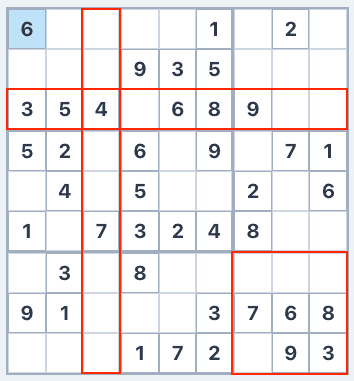
How to Use Hidden Triple
Note the candidate numbers for each cell.
For each number, check which cells can hold it within a row, column, or block.
If three numbers can only go in the same three cells, it’s a Hidden Triple.
Remove all candidates except the triple’s three numbers from those three cells.
Example
In a row, ‘1’ appears as a candidate in two cells, ‘4’ in two cells, and ‘9’ in two cells, all within the same three cells. Since ‘1, 4, 9’ can only go in these three cells, you can limit their candidates to just ‘1, 4, 9’ and remove all others. For example, a cell whose candidates were ‘4, 5, 7’ would have ‘5’ and ‘7’ eliminated.
Tips for Finding Hidden Triples
Hidden Triples are very difficult to spot. Master Hidden Pairs first before attempting these. The key is to list numbers that appear as candidates in only 2–3 cells, then check if three such numbers share the same set of cells.